Place policies and past packets in one place so directors find answers without asking. Keep drafts and downloads out of email and control access by role, replace documents in place, and keep clean records for audits.
Effortlessly structure and categorize board documents for easy navigation and retrieval.
Dynamic Permissioning
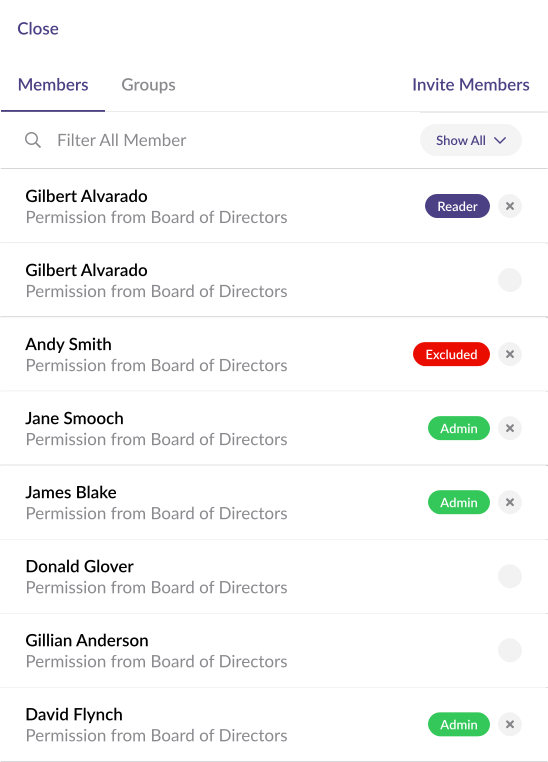
Customize document access with granular permissions tailored to each board member's role.
Update Once, Keep Context
Replace a file without breaking notes, links, or page references; republish with no rebuilds.
Access, Not Attachments
Grant role-based access backed by SSO/MFA so governed files stay out of inboxes.
Organize Files. Stop the Hunting.
Centralize every board file so people stop hunting and start working. Organize with folders and quick search, add any common format, and keep drafts out of email. Everyone knows where the final lives.
Replace Files, Keep Context
Swap in the new document without breaking the book. Preserve notes, links, and page references, then republish the same source of truth—no rebuilds, no confusion.
Control who sees what to cut risk and clutter. Assign role-based access, back it with SSO/MFA, and keep governed files in one place—not scattered across email.
Frequently Asked Questions
What files does OnBoard support for board documents
OnBoard supports PDF, Microsoft Office formats (Word, Excel, PowerPoint), and image files. The Board Book feature is purpose-built for effective governance: it compiles individual documents into a single, paginated board packet that directors can navigate with a table of contents, bookmark, and annotate.
How does OnBoard organize board documents?
OnBoard organizes documents by governance context — tied to meetings, agendas, and committees — rather than traditional folder hierarchies. This creates an automatic audit trail where every document is linked to the decision it informed.
Can multiple people edit documents in OnBoard at the same time?
Yes — OnBoard supports live co-authoring of minutes, including real-time simultaneous editing within the platform. It also integrates with Microsoft 365 doe live co-authoring in Word, with auto-save and version history.
How does OnBoard keep documents secure?
OnBoard is SOC 2 Type II certified with encryption, granular per-document permissions, and a complete audit trail of every access event. Administrators control exactly who sees what — down to individual documents within the board packet.
Join 30k+ Boards Around the Globe
Experience Better Board Management
Start your journey and unlock unparalleled security, insights, and efficiency with OnBoard.