Open to a clear view of your agenda, the latest book, and the actions that need you. See what changed and what’s due the moment you sign in. No link hunting, no app switching—just context, decisions, and momentum.
Personalize your governance experience with a Dashboard uniquely tailored to your board's needs.
Centralized Meeting Preparation
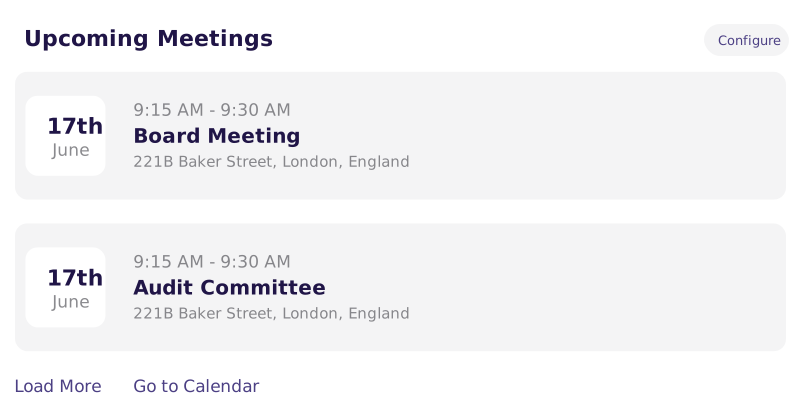
Simplify your meeting prep with immediate access to upcoming schedules, documents, and announcements.
Real-Time Updates and News
Stay informed with the latest board-related news and updates, all from your Dashboard.
Streamlined Access to Resources
Begin your board work with one-click access to important documents and resources from your homepage.
Make the Dashboard Yours
Personalize the dashboard to surface what matters so people act faster with org-wide defaults, role-based layouts, and drag-and-drop tiles. Publish layouts that respect permissions — so every person opens to a view built for their job.
Keep Everyone Aligned in One Hub
Keep everyone aligned with meetings, books, and key files in one governed hub. Find it fast with clear tiles and search; stop digging through email threads. Role-based visibility shows each person exactly what’s relevant—no stray copies, no stale versions.
Get to policies, charters, and past packets from the dashboard in one click so directors prep faster and ask fewer questions. Open the latest version with governed access and search that puts the right file at the top.
See What’s Next at a Glance
Open to an at-a-glance view of upcoming meetings, agendas, and materials so prep starts sooner. Tiles and search keep the latest book and tasks together—no inbox digging, no app-switching.
Frequently Asked Questions
Can the dashboard be customized for different roles?
Yes, the dashboard supports org-wide defaults, role-based layouts, and drag-and-drop tile customization. Administrators can publish layouts that respect individual permission levels, so each users sees the information most relevant to their role.
What information is visible in the dashboard?
The dashboard surfaces upcoming meeting schedules and agendas, the latest board materials, pending action items, board-related news, real-time updates, and quick access to governance documents such as policies, charters, and past board packets.
Can administrators set a default dashboard layout for all users?
Yes, administrators can configure and publish a default dashboard layout for the organization, ensuring all board members have a consistent starting point with the appropriate materials and tiles visible upon login.
How does the dashboard help board members prepare for meetings?
The dashboard consolidates everything a director needs in one place — upcoming schedules, current board books, outstanding tasks, and recent document updates — eliminating the need to search through emails or navigate multiple applications before a meeting.
Join 30k+ Boards Around the Globe
Experience Better Board Management
Start your journey and unlock unparalleled security, insights, and efficiency with OnBoard.