What is a Board Portal?
The most effective boards rely on modern solutions to streamline governance.
A board portal is a secure digital platform that enables board of directors and administrators to access meeting materials, collaborate on governance decisions, and manage their board meeting lifecycle — from agenda creation through voting, minutes, and compliance tracking — replacing paper-based processes with secure, cloud-based workflows.
This replaces the old way: PDFs sent over email, packets printed at midnight, and “which version is this?” asked five minutes before the meeting starts. A board portal puts the current version in everyone’s hands, on any device, with one tap.
Before The Meeting
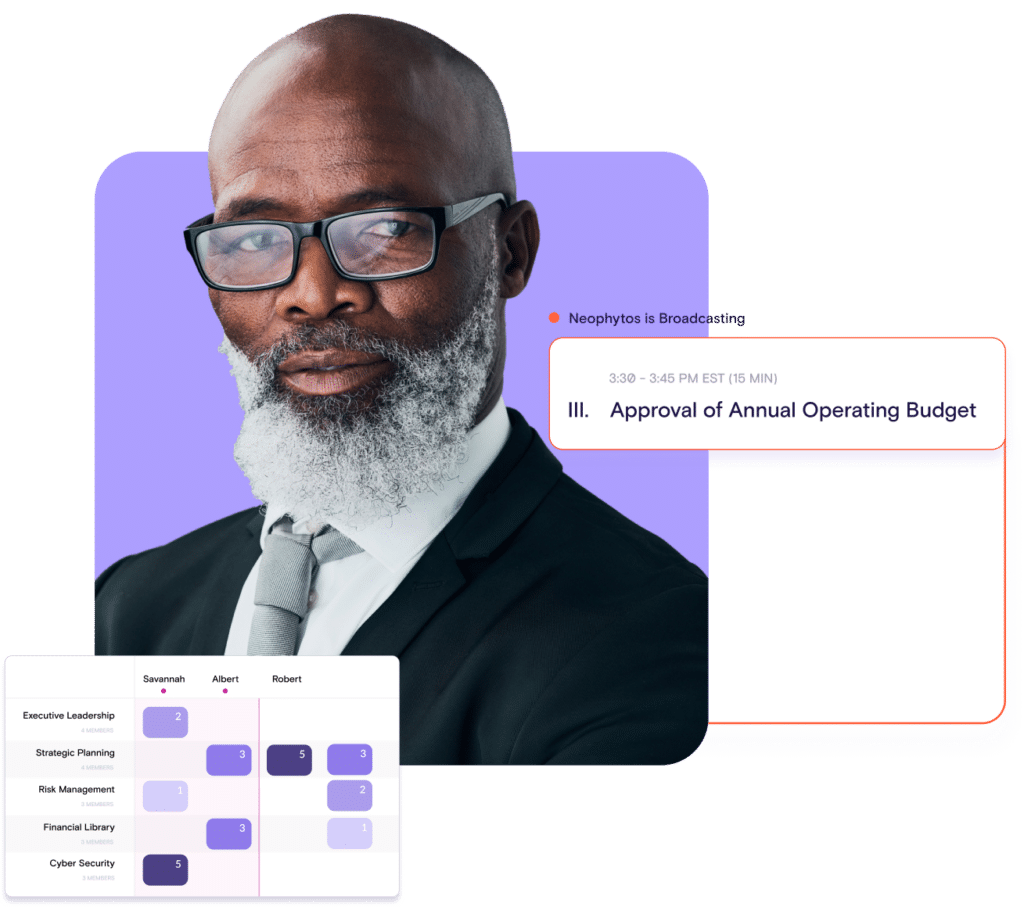
Build the agenda and board book in one place — drag, drop, link documents, and publish. When something changes last-minute, update once and it refreshes.
Directors get notified the moment materials are ready. They can review on any device, annotate directly in the book and show up prepared to make decisions.
During the Meeting
One-tap navigation keeps the meeting moving section by section. No shuffling, no “what page are we on?” Presenters share their screen directly from the portal.
Decisions happen in real-time — vote, assign tasks, sign documents, capture minutes — all inside the same workspace. Minutes are captured automatically.
After the Meeting
Outstanding items follow up automatically. Directors get reminders for pending signatures, open votes, and survey responses — no one has to chase anyone down.
Minutes are finalized and linked to the agenda, so the full record of what was discussed, decided, and assigned lives in one place.
Every action is logged — attendance, document access, votes, signatures — creating an audit trail that builds itself. When a regulator or auditor asks, “show me your process,” the answer is already there.
Tasks assigned during the meeting carry forward with owners and deadlines attached. Progress is visible to the whole board, so nothing falls through the cracks.
How OnBoard Works Across the
Board Ecosystem
Leadership transitions don’t have to slow the board. With a living record and context-aware summaries, incoming leaders learn the why behind past choices, and work continues without losing pace. The board starts each cycle ahead, not from square one.


History of Board Portal Software
Searching for the best board portal?
Board portal technology has evolved through three distinct generations, each driven by the limitations of what came before. Understanding this progression helps explain why modern platforms look and work the way they do — and what to look for one evaluating one today.
1st Generation: Email and File Sharing
The first generation wasn’t purpose-built software at all. It was whatever the tools the organizations already had, including Dropbox, SharePoint, FedEx couriers, and printed binders. Administrators complied documents into large PDFs, bundled them as email attachments, and pointed directors to the right location. The process was manual, time-consuming, and inherently insecure. Materials lived in personal email inboxes, on shared drives, and in filing cabinets with no access controls, version management, or audit trail.
These tools moved board work from paper to digital, but they weren’t designed for the specific demands of board governance — committee structures, confidential materials, role-based access, or regulatory retention requirements.
2nd Generation: Secure Board Book Compliers
Second generation portals were the first purpose-built solutions for board of directors. Their primary innovation was security: encrypted delivery of board books to directors through controlled platform rather than open email channels.
However, most of these platforms were designed around a specific function — compiling and distributing a digital board book. The interface mimicked paper, replicating the physical binder experience on screen. Early providers built on-premise, single-tenant architectures that required deducted hosting and manual updates. While this model offered data isolation, it also meant slower feature releases, higher maintenance costs, and limited accessibility from mobile devices. These platforms solved the security problem but left the workflow unchanged.
3rd Generation: Cloud-Native Governance Platforms
Third-generation board portals moved beyond document distribution to support the full governance lifecycle — before, during, and after the meeting. Built on cloud-native, multi-tenant architecture, they deliver continuous updates, enterprise-grade redundancy, and access from any device without on-premise infrastructure.
The shift to cloud-first, mobile-first design brought several practical advantages: administrators and directors access the same platform from a browser or native app, updates deploy automatically without IT involvement, and security patches apply access the entire platform simultaneously. Providers can iterate faster, respond to emerging threats more quickly, and scale across organizations of any size.
Modern platforms in this generation include AI-powered tools for agenda creation, board book summarization, and automated minutes drafting — capabilities that didn’t exist even a few years ago. They also support workflows that extend well beyond the meeting itself, including eSignatures, voting, skills tracking, board assessments, and secure messaging.
The defining characteristic of third-generation portals isn’t any single feature — it’s the shift from a static document delivery tool to a dynamic governance operating system that supports the entire board lifecycle.
4th Generation: AI-Native Board Portals
Third-generation platforms added AI as a feature layer — agenda drafting, document summarization, meeting transcription — applied to individual tasks within the existing workflow. Fourth-generation portals take a fundamentally different approach: AI is built into the architecture itself, treating the entire governance record as a connected knowledge base.
The distinction matters because of what a board portal actually contains. Years of board books, resolutions, financial reports, legal memos, committee minutes, and policy documents accumulate inside the platform over time. In earlier generations, that archive was searchable by filename or keyword at best. In an AI-native platform, the full corpus becomes queryable through natural language — a director can ask a question and receive an answer drawn from across the entire governance record, not just the materials for the next meeting.
This is what semantic search makes possible. Rather than matching exact keywords, the system understands the meaning behind a query and surfaces relevant context from any document in the repository — a resolution from two years ago, a risk factor buried in a committee report, a financial trend visible only when comparing across multiple quarters. Directors gain access to institutional knowledge that previously existed only in the memory of long-tenured board members or scattered across hundreds of pages no one had time to re-read.
The capability is only viable because the data never leaves the platform. Board portals already operate as closed systems with enterprise-grade encryption, role-based access controls, and audit logging. An AI-native architecture extends those same protections to every query and every generated response — the AI reads only what the user is authorized to see, processes everything within the same security perimeter, and produces nothing that escapes the governed environment. No board content trains external models. No queries are visible outside the platform.
This closed-loop design is what separates a board portal’s AI from general-purpose tools like ChatGPT or Copilot. A director who searches the open web for context on a pending acquisition has created a data exposure event. A director who asks the same question inside an AI-native portal gets a more relevant answer from the organization’s own records — with zero additional risk.
The defining shift of the fourth generation is positional: the board portal moves from a system of record that stores governance documents to a system of intelligence that makes those documents actively useful between meetings, across years, and to every stakeholder authorized to ask.

Get Started with OnBoard
Key Features of a Board Portal
Not every board portal offers the same capabilities, but the features below represent what most modern platforms include — and what buyers should expect when evaluating options. The right combination depends on your board’s size, industry, regulatory requirements, and how your team currently manages the meeting process.
Agenda & Board Book Ceation
Board portals replace the manual process of compiling meeting materials across email, shared drives, and PDFs. Administrators build agendas with drag-and-drop tools documents to each section, and distribute the complete board book digitally. When source materials change, linked documents update across the published book without re-exporting or redistributing.
Most platforms support templates so recurring meetings — monthly board meetings, quarterly committee reviews — don’t start from scratch each cycle. Multiple administrators can collaborate on the same book simultaneously, which matters for organizations managing several committees or subsidiary boards on overlapping timelines. The finished book is published to directors with a single action, and most platforms send an automatic notification so no one has to manually email a reminder.
Document Storage & Search
A central repository holds policies, past board books, bylaws, committee charters, and supporting materials in one searchable locations control who can view, edit, or download specific documents — for example, a compensation committee member may see materials that other directors cannot.
This replaces the scattered approach of shared drives, email attachments, and physical filing systems that most organizations outgrow as their governance requirements expand. Full-text search means directors can locate a specific resolution from three years ago without asking the administrator to dig through archives. Version control ensures the document visible to the board is always the current one, and previous versions are preserved in the audit trail rather than overwritten.
Voting & Approvals
Directors can vote on motions, approve resolutions — directly inside the portal, from any device. Each vote is timestamped and logged, creating a permanent record of the decision, who participated, and the outcome.
This eliminates the need to schedule additional meetings for routine approvals like budget amendments, policy updates, or consent agenda items. Most platforms support multiple voting formats — simple majority, supermajority, unanimous consent, and roll call — and automatically calculate results. For organizations with regulatory reporting requirements, having a digitally verifiable voting record significantly reduces the burden of proving what was approved and when.
eSignatures
Documents requiring signatures — conflict of interest disclosures, D&O questionnaires, consent resolutions, board appointment letters — are routed to directors electronically, creating an auditable trail without printing, scanning, or chasing down paper copies.
Directors receive a notification when a signature is pending and can sign from their phone or tablet with a single tap. For compliance-heavy industries like healthcare and financial services, having a timestamped digital signature tied to a specific document version is significantly more defensible than a scanned wet signature. Some platforms also integrate with third-party eSignature providers like DocuSign for workflows that extend beyond the board.
Meeting Minutes
Minutes can be drafted during the meeting itself. Attendance is logged automatically. Motions, votes, and action items are recorded as they happen rather than reconstructed afterward.
This changes the minutes process from a multi-day post-meeting effort into something that’s largely complete when the meeting adjourns. The administrator reviews and refines rather than writing from scratch. Some platforms now offer AI-assisted transcription that generates a first draft from the meeting recording, further reducing the turnaround time. Approved minutes are archived and linked to the meeting record, creating a permanent, searchable governance history that auditors and regulators can reference.
Security & Encryption
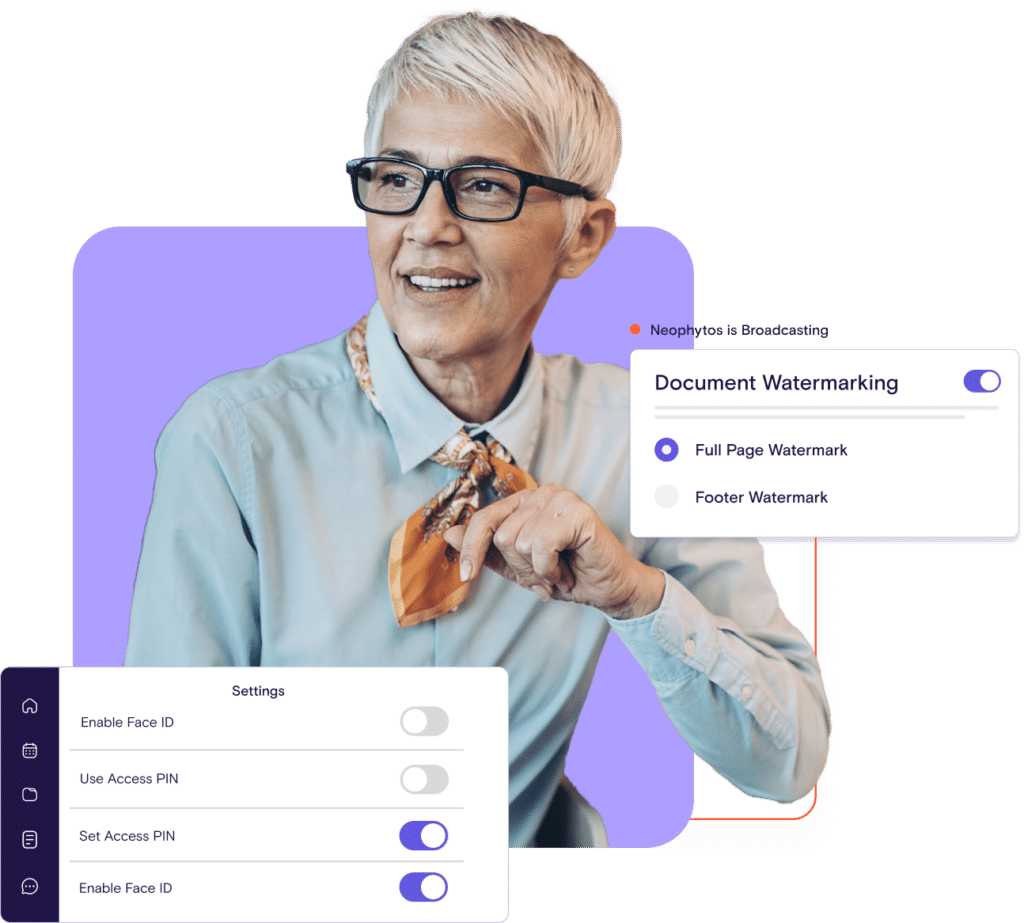
Board materials are among the most sensitive documents in any organization — executive compensation, acquisition targets, litigation strategy, financial projections. Board portals protect them with encryption at rest and in transit, two-factor authentication, and granular access controls.
Enterprise platforms also offer remote wipe for lost or stolen devices, automatic session timeouts, idle wipe for devices that haven’t connected in an extended period, and data residency options for organizations with geographic compliance requirements. Leading providers hold SOC 2 Type II and ISO 27001 certifications, and many also meet HIPAA, GDPR, and FERPA requirements. When evaluating security, buyers should ask whether the platform runs on enterprise-grade cloud infrastructure (such as Microsoft Azure or AWS) versus vendor-hosted data centers, which are harder to independently verify.
Mobile & Offline Access
Native mobile apps for iOS and Android enable directors to access the portal from anywhere. Offline mode downloads the board book to the device so materials are available without an internet connection — critical for directors who review materials while traveling or in locations with unreliable connectivity.
Changes made offline — annotations, notes, reading progress — sync automatically when connectivity returns. Cross-device continuity means a director can start reviewing on their phone during a commute and pick up at the exact same point on their laptop at home. For boards with older or less tech-comfortable members, the quality of the mobile experience often determines whether directors actually use the platform or revert to printed packets and email.
Secure Messaging
A built-in communication channel keeps board discussions inside a governed, encrypted environment rather than in email — where messages can be forwarded, intercepted, or subpoenaed without context. Directors and administrators can message individually, by committee, or board-wide.
This matters for two reasons. First, security: board-level discussions about personnel, legal strategy, or M&A should not live in a general-purpose email inbox alongside newsletters and vendor outreach. Second, record-keeping: messages exchanged inside the portal are part of the governed environment, meaning retention policies and access controls apply consistently. For organizations subject to open records laws or regulatory oversight, this distinction between governed and ungoverned communication channels is significant.
AI is Changing Board Governance: Here's How
Artificial intelligence is reshaping how boards prepare for, conduct, and follow up on meetings. The technology is still maturing, but the trajectory is clear.
According to the 2025 Board Effectiveness Survey — including directors, administrators, executives, and corporate secretaries — 69% have used AI for board work in the past six months, with two in five using more than one tool. This marks the first year that the survey measured AI usage, and the results confirm that adoption is already widespread.
The question is no longer whether boards will use AI. It’s whether they’ll use it safely.
The Gap Between Adoption & Governance
The same survey found that 70% of organizations still lack a dedicated governance platform to protect sensitive board information. Meanwhile, 57% still distribute materials via emails and PDFs, and only 31% use digital tools — most of which are generic office applications, not purpose-built board governance software.
The result: directors are using ChatGPT, Copilot, and Gemini to summarize board materials, draft agendas, and prepare for meetings — but the confidential content they’re inputting often flows through public models outside of the organizations control.
For boards handling compensation data, M&A discussions, litigation strategy, and financial projections, that gap between AI adoption and secure infrastructure represents a significant material risk — plain and simple.
AI Board Portal Features
Modern board portals are beginning to embed AI directly into the governance workflow, keeping data inside the platform’s security perimeter rather than routing it through external models. The most common applications include:
AI Board Portal Features
Modern board portals are beginning to embed AI directly into the governance workflow, keeping data inside the platform's security perimeter rather than routing it through external models. The most common applications include:
Agenda Generation
AI transforms a short prompt or prior meeting structure into a complete agenda with section titles, presenters, and time allocations Administrators refine rather than build from scratch, which matters when 67% of buyers cite agenda and minutes preparation as their primary pain point.
Board Book Summarization
Directors no longer need to manually review more than 200 pages. AI condenses lengthy reports, legal memos, and financial statements into concise overviews so directors can prioritize their reading. This directly address a finding from our research: 70% of directors say there’s too much to read before meetings.
Meeting Transcription and Minutes Drafting
The AI transcribes meeting recordings into structured, searchable text, then generates a first draft of the minutes. Early adopters report up to 90% reduction in minutes drafting and approval time — turning a multi-day post-meeting effort into something that’s largely complete as soon as the meeting adjourns.
AI Driven Material Navigation
Emerging capabilities allow directors to ask natural-language questions about board materials and receive answers drawn directly from uploaded documents, within the same governed workspace.
The Critical Question:
Where Does the Data Go?
Board materials are among the most sensitive in any organization. When evaluating AI capabilities in a board portal, the single most important question is whether board data leaves the platform.
Governance-grade AI processes documents within the same encrypted infrastructure that stores them — a close-loop architecture. Board data never enters public search results, and generated content inherits the same permissions and security controls as the source materials. No board content is sent to third-party models, and no data is used for external training. This is a meaningful distinction from general-purpose AI tools, where uploaded documents may be processed on servers outside of the organization’s control.
Finding the Right Board Portal
Choosing the right board portal is a governance decision, not just a technology purchase.
The platform you select will shape how your board prepares, meets, and makes decisions — and whether directors will actually use it or quietly revert to email and printed packets.
The right starting point depends on where your organization is today. If you’re replacing email, shared drives, and PDF binders, you’re solving for security and structure. If you’re migrating from an existing portal that directors find frustrating, you’re solving for usability and adoption. If you’re expanding governance across multiple boards or committees, you’re solving for scalability. The evaluation criteria are the same, but the weight you give each one will differ considerably.
Here’s what to look for — and what to ask.
Security & Compliance
Board materials include some of the most sensitive information in any organization: executive compensation, acquisition targets, litigation strategy, financial projections, and personnel decisions. The platform that stores and transmits these materials needs security that matches their unique sensitivity.
At a minimum, look for SOC 2 Type II and ISO 27001 certifications, two-factor authentication, and granular role-based access controls. For organizations in regulated industries, including healthcare, financial services, government, higher education — HIPAA, GDPR, and data residency options may be requirements rather than preferences.
Ask whether the platform support integration with your existing identity provider (Okta, Azure AD, or equivalent) so directors authenticate through SSO rather than managing separate credentials. Ask about remote wipe capabilities for lost or stolen devices. And ask how long the provider has held its certifications — recent certification tells a different story than a decade-long track record.
Director Adoption
This is where most portal decisions are made — and where most portal switches originate. A portal can check every security and feature box and still fail if directors won’t use it.
The 2025 Board Effectiveness Survey found that 57% of boards still distribute materials via email and PDFs, and only 31% use digital tools — most of which are generic office applications, not purpose-built governance software. The adoption gap isn’t a technology problem. It’s a usability problem. Directors who find the portal harder than email will work around it, and every workaround is a security gap.
When evaluating platforms, pay attention to the experience from the director’s perspective, not just the administrators. How many steps does it take to open a board book? Can a director in their 60s or 70s navigate it without a training session? Does the mobile app feel native, or like a shrunken desktop interface? Ask providers for adoption metrics — not just how many organizations use the platform, but how directors within those organizations actively engage with it.
Meeting Lifecycle Coverage
First- and second-generation portals focused on one thing: getting the board book into directors’ hands. Modern governance involves considerably more.
Evaluate whether the platform supports the full meeting lifecycle: agenda creation, board book assembly with live-linked documents, in-meeting collaboration, voting and approvals, minutes drafting, eSignatures, task management, and post-meeting follow-through. A platform that covers the complete cycle eliminates the need for disparate tools and keeps the entire governance record in one searchable, auditable system.
Look specifically at how these features connect to each other. Can a vote taken during a meeting automatically populate the minutes? Can an action item assigned in the board book be tracked through to completion? Can a signed document be archived with the meeting record without manual filing? The value of lifecycle coverage isn’t the feature count. Instead, it’s the workflow continuity.
AI Capabilities
With 69% of board professionals already using AI for board work, the question isn’t whether directors will use AI — it’s whether they’ll use it inside a governed environment or outside one.
Look for platforms that offer AI-powered agenda generation, board book summarization, and meeting transcription with automated minutes drafting. These capabilities can meaningfully reduce preparation time for administrators and directors alike. However, the evaluation shouldn’t stop at what AI does. The more important and nuanced question is where the data goes.
Governance-grade AI processes board materials inside the platform’s security perimeter — same encryption, same access controls, same retention policies as every other document. No board content is sent to third-party models, and no data is used for external model training. Ask providers directly: does data leave the platform when AI features are used? Who has access to prompts and outputs? Is the AI architecture closed-loop?
This distinction matters. A director who pastes a confidential financial summary into ChatGPT to “get the gist” has created a significant data exposure event. A director who gets the same summary inside OnBoard has used AI without widening the organization’s
AI Capabilities
The different between a platform that launches in days and one that takes months is significant, especially for organizations with recurring board meetings or fixed schedules.
Ask how long implementation typically takes, and what’s includes. Does the provider offer a dedicated implementation specialist, or is setup self-service? Is migration of existing materials (past board books, policies, bylaws, committee documents) handled by the provider or left to your team? What does director training look like and who delivers it?
The implementation experience often predicts the ongoing support experience. A provider that assigns a named specialist for onboarding and stays engaged through the first several board meetings is signaling a different kind of partnership than one that hands over login credentials and access to a knowledge base.
Evaluating Board Portal Vendors
Boards evaluating board portal software typically consider a handful of established providers. Each platform has a different heritage, architecture, and approach to governance that should be fully vetted. Here’s a high-level view of how OnBoard fits into the landscape — with links to detailed comparisons for organizations active in evaluation.
Provider
Overview
Compare
Simple shouldn’t mean incomplete. Get the full picture on features, mobile experience, and support—so you can choose a platform your board won’t outgrow.

Primarily serves Fortune 500 and large-cap organizations through a broader governance, risk, and compliance suite.

A nonprofit-first platform that bundles agendas, documents, voting, and minutes in a single workspace.
Getting Started With OnBoard
Effective board governance touches every stakeholder in an organization — the administrators who prepare materials, the directors who make decisions, the executives accountable for how the organization is run, the legal teams who need defensible records, and the IT teams who secure it all.
The right board portal makes every one of those jobs easier. The wrong one adds friction that pushes people back to email, shared drives, and workarounds that create the very risks a portal is supposed to eliminate.
OnBoard is built for boards that expect more from their governance platform.
More than 7,000 boards use OnBoard to prepare faster, meet with focus, and leave every meeting with clear decisions, documented outcomes, and accountable follow-through — all inside a single governed system of record.
Whether you’re replacing manual processes for the first time, migrating from a portal your directors have stopped using, or looking for a platform that keeps pace with how governance is evolving, OnBoard is designed to get your board up and running before your next meeting.
Frequently Asked Questions (FAQs)
What is a Board Portal?
A board portal is a secure software platform designed to centralize board governance, including document storage, meeting preparation, decision-making, and compliance records, in one governed system. It replaces the scattered combination of email, shared drives, and printed binders that most organizations outgrow as governance requirements mature.
What Features Should a Board Portal Include?
A board portal should include the following features: agenda and board book creation, secure document storage with role-based permissions, voting and approvals, eSignatures, meeting minutes, mobile and offline access, and enterprise-grade security. Modern platforms also include AI-powered tools for agenda generation, document summarization, and meeting transcription.
How Much Does a Board Portal Cost?
Pricing varies by provider and model. Entry-level platforms may start around a few hundred dollars per month, while enterprise solutions with advanced security, AI features, and multi-board support can run higher. The total cost depends on the number of boards, users, storage, and which features are included versus add-on. Always request a breakdown that reflects your actual governance structure.
How Do I Compare Board Portal Providers?
Focus on five areas: security certifications (SOC 2, ISO 27001), director adoption and ease of use, meeting lifecycle coverage, AI capabilities and data handling, and implementation timeline. Request demos from your shortlist and evaluate the experience from your director’s perspective — not just the administrator’s.
Are Board Portals Secure?
Enterprise-grade portals use AES-256 encryption at rest, RSA encryption in transit, two-factor authentication, granular role-based access controls, and remote wipe capabilities. Leading providers hold SOC 2 Type II and ISO 27001 certifications and undergo regular third-party audits.
Are Board Portals Secure?
Review platforms like G2, TrustRadius, and Capterra provide verified user ratings across the category. When evaluating reviews, pay attention to comments about director adoption, ease of use for non-technical board members, and quality of customer support — these tend to be more predictive of long-term satisfaction than feature checklists.
Interactive Vendor Comparison Worksheet